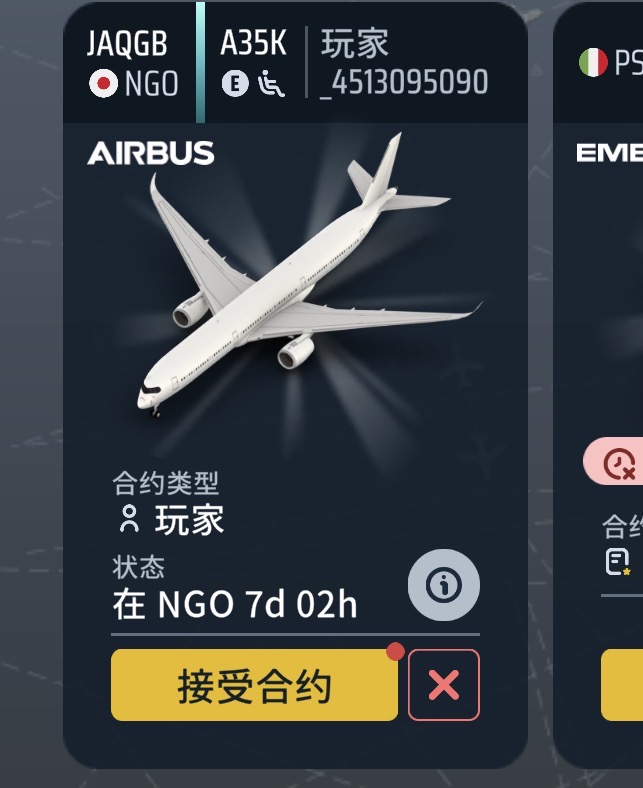
You may see a generic name like Player123456789 and a message such as:
“Account not linked to Game Center”
or
The game starts with a fresh profile.
Don’t worry — your progress is safe. on our servers.
 Why Does This Happen?
World of Airports uses secure authentication to connect your profile via:
 Google Play Games (Android)
 Apple Game Center (iOS)
 Gmail address (Cross-Platform Migration option)
Sometimes the connection is interrupted. This can happen after:
- Reinstalling the game
- Switching devices
- System updates
- Login session expiration
When this happens, the game may start in anonymous mode, creating a temporary profile.
 Your Data Is Safe
All your airports, aircraft, purchases, and progress are stored securely in the cloud.
Nothing is deleted.
You only need to reconnect the game to your original account.
 How to Restore Your Progress
 Method 1 – Relink via Game Center or Google Play Games
If your account was originally linked to Game Center or Play Games:
- Tap the “Link Account” button next to your nickname in the Main Menu.
- Sign in with the Apple ID or Google account you originally used.
- Confirm the login.
- Wait a few seconds — your original progress will reload.
 Detailed Troubleshooting
 iOS – Apple Game Center
- Close the game completely (remove it from multitasking).
- Go to Settings > Game Center .
- Tap your Apple ID → Sign Out.
- Reopen the game — it will start in anonymous mode.
- While the game stays open in the background, go back to Settings > Game Center and sign in with the correct Apple ID.
- Return to the game and tap “Link Account.”
Important: Step 5 must be done while the game remains open in the background.
 Android – Google Play Games
- Open the Google Play Games app.
- Go to Settings > Your Data > Choose account for games .
- Make sure the correct Google account is selected for World of Airports.
- You may enable “Always ask” to choose on launch.
If the issue continues:
Clear cache for:
- Google Play Games
- Google Play Services
- Google Play Store
- World of Airports
(Settings > Apps > App Name > Storage > Clear Cache)
Restart your device and launch the game again.
Then tap “Link Account.”
Alternative Method – Gmail Carrier (New Option)
If linking via Game Center or Play Games does not work, you can use a Gmail address as a carrier.
Important:
Do NOT use the small “Link Account” button next to your name for this method.
Instead:
- Open Settings
- Go to Cross-Platform Migration
- Select Migrate Profile from This Device
- Choose the Gmail address option
- Do NOT select Game Center
- Do NOT select Play Games
- Complete the confirmation process
Your current profile will now be securely linked to that Gmail address.
Make sure you are inside the correct profile before starting this process.
Recovering a Profile Linked via Gmail
If your progress was linked using a Gmail address, use this method:
- Open Settings
- Go to Cross-Platform Migration
- Select Load Profile from Other Platform
- Enter the Gmail address used for linking
- Confirm and proceed with login
Your original progress will load.
 Important Warning Message
You may see a message saying:
“Progress on this device will be lost.”
This only affects the temporary or anonymous profile currently active on the device.
It does NOT affect your original linked progress stored on our servers.
Your real progress remains safe.
 Ongoing Improvements
We are continuously improving authentication and cross-platform options to make account recovery easier and more reliable.
If something does not work as expected, please contact support and include:
- Your Player ID
- The platform you are using
- A short description of what you see
We are happy to help.
Thank you for flying with World of Airports 
– The WoA Team