What is your suggestion?
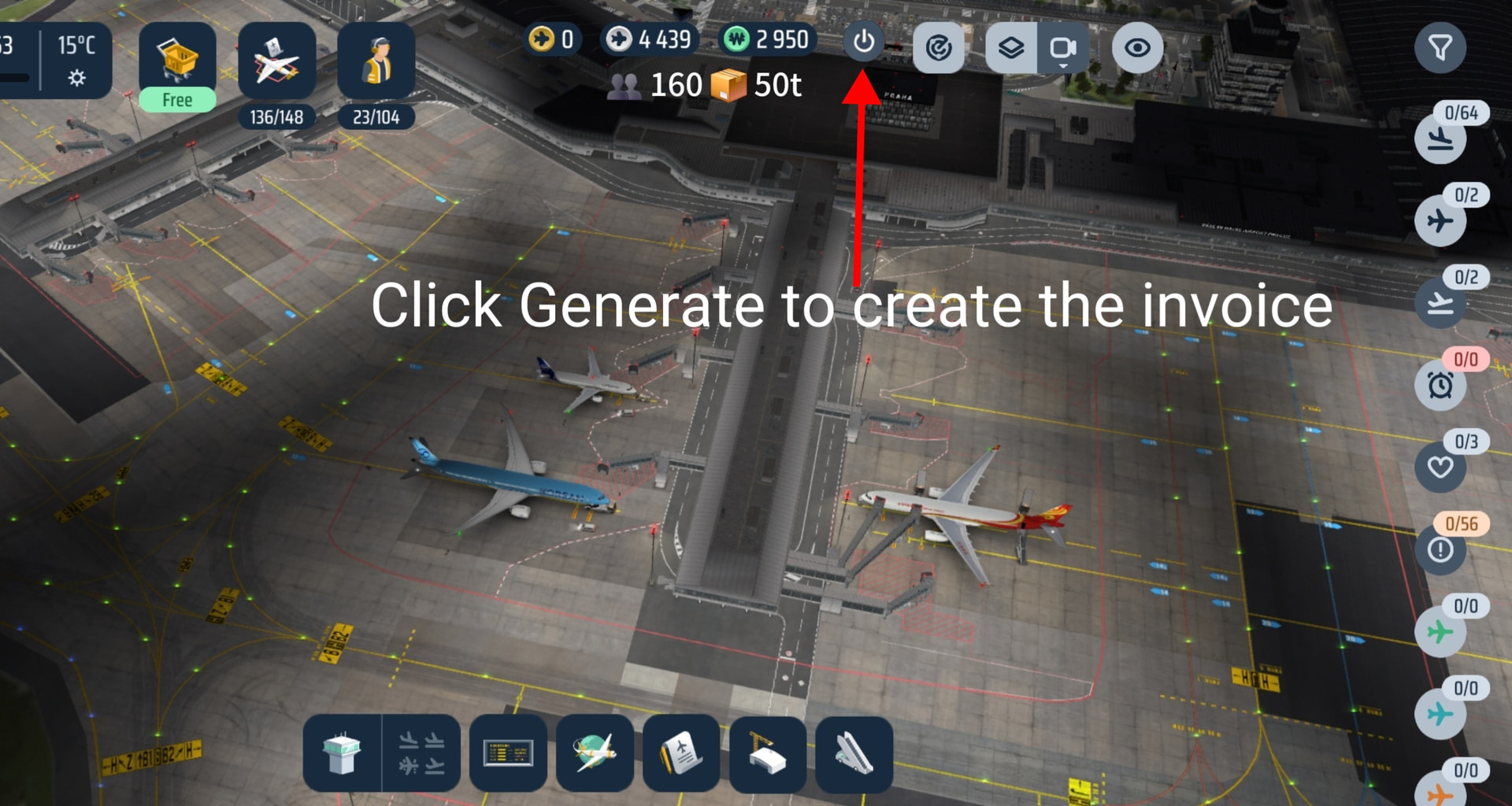
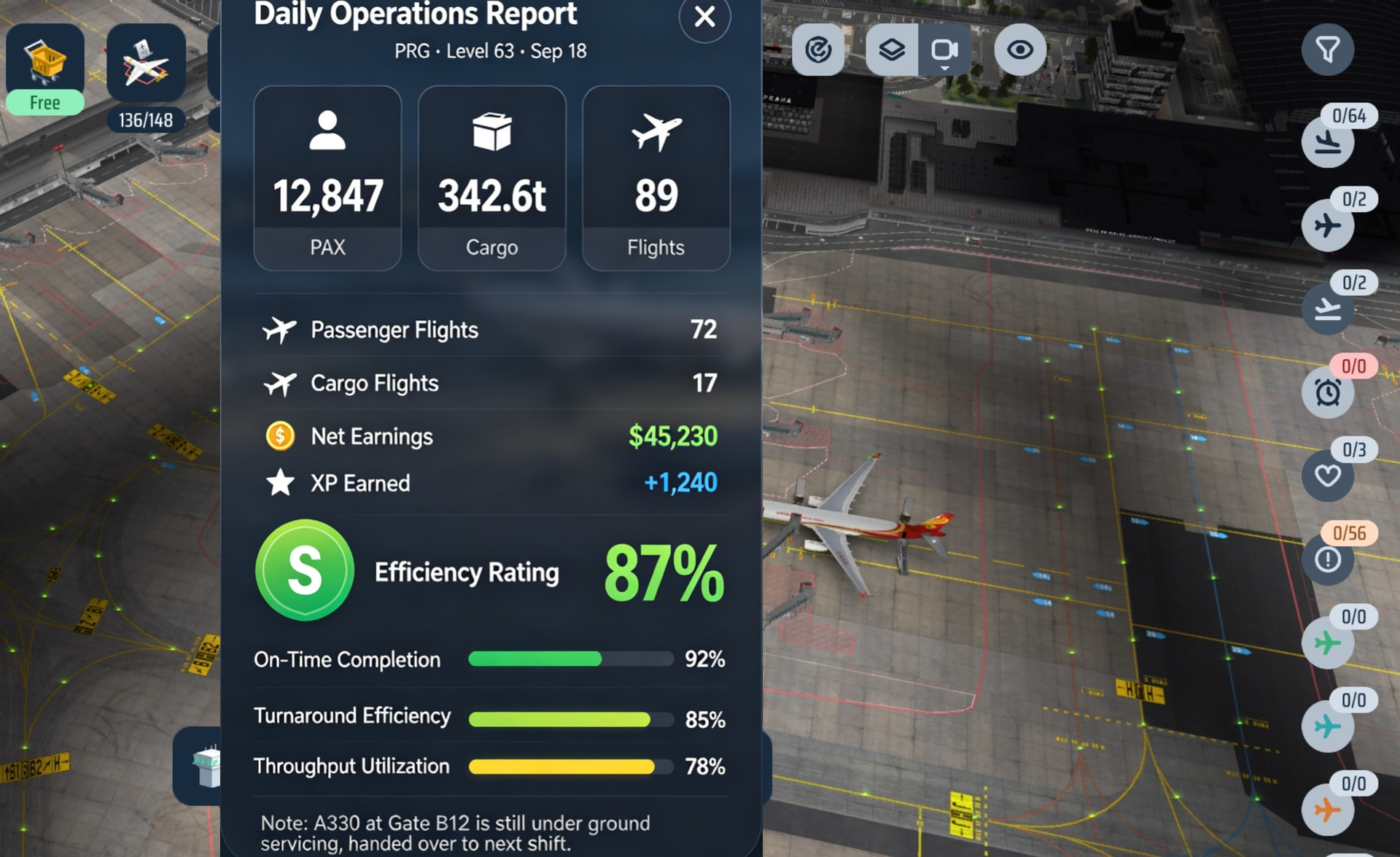
Add a dynamic, real-time Daily Passenger (PAX) & Cargo Counter on the main HUD, alongside an “End Operations” button. When a player finishes a session at a specific airport, clicking this button generates an Operational Shift Summary Log and allows them to seamlessly switch to another airport on the world map .
How would it work in the game?
Top HUD Live Counter:Placement: Located on the top bar (between the Airport Info Card and the Shop Icon).
Initial State: Resets at the start of each session to
0 (Passengers) and
0t (Cargo Tonnage).
Real-Time Ticker: Increments live with green floating indicators (+180
"End Operations" Shift Summary Flow:
When a player decides to wrap up operations at their current airport (e.g., PRG):
Clicking “End Operations” stops incoming traffic tracking and opens a Shift Summary Log:
Total PAX & Cargo Handled
Total Flights Serviced (PAX vs. Freighter breakdown)
Net Revenue & XP Earned in this session
Handling Efficiency Score (%)
[Switch Airport]: Returns to the Map so the player can select another unlocked airport to manage.
Why is this a good idea?
Optimized based on the passenger flow strategies used in earlier WOA versions.Enhanced Multi-Airport Gameplay: Perfect for players managing a global airport network, providing a rewarding transition when switching from one hub to another.
Realistic Shift Closure: Mirrors real-world Airport Operations Center (AOC) duty handovers before closing a shift or transferring command.
Instant Visual Feedback: Gives players a clear, gratifying overview of what they accomplished during their time at that specific airport.
Optional: Image or reference