 Why Is This Important?
World of Airports always loads the currently active account.
If you don’t sign out first, the game will continue using the same profile — even if you expect another one to load.
 How to Switch Accounts Correctly
To switch from one account to another, follow these steps:
- Open Settings
- Go to the Profile tab
- Tap Sign Out
- Confirm the sign-out
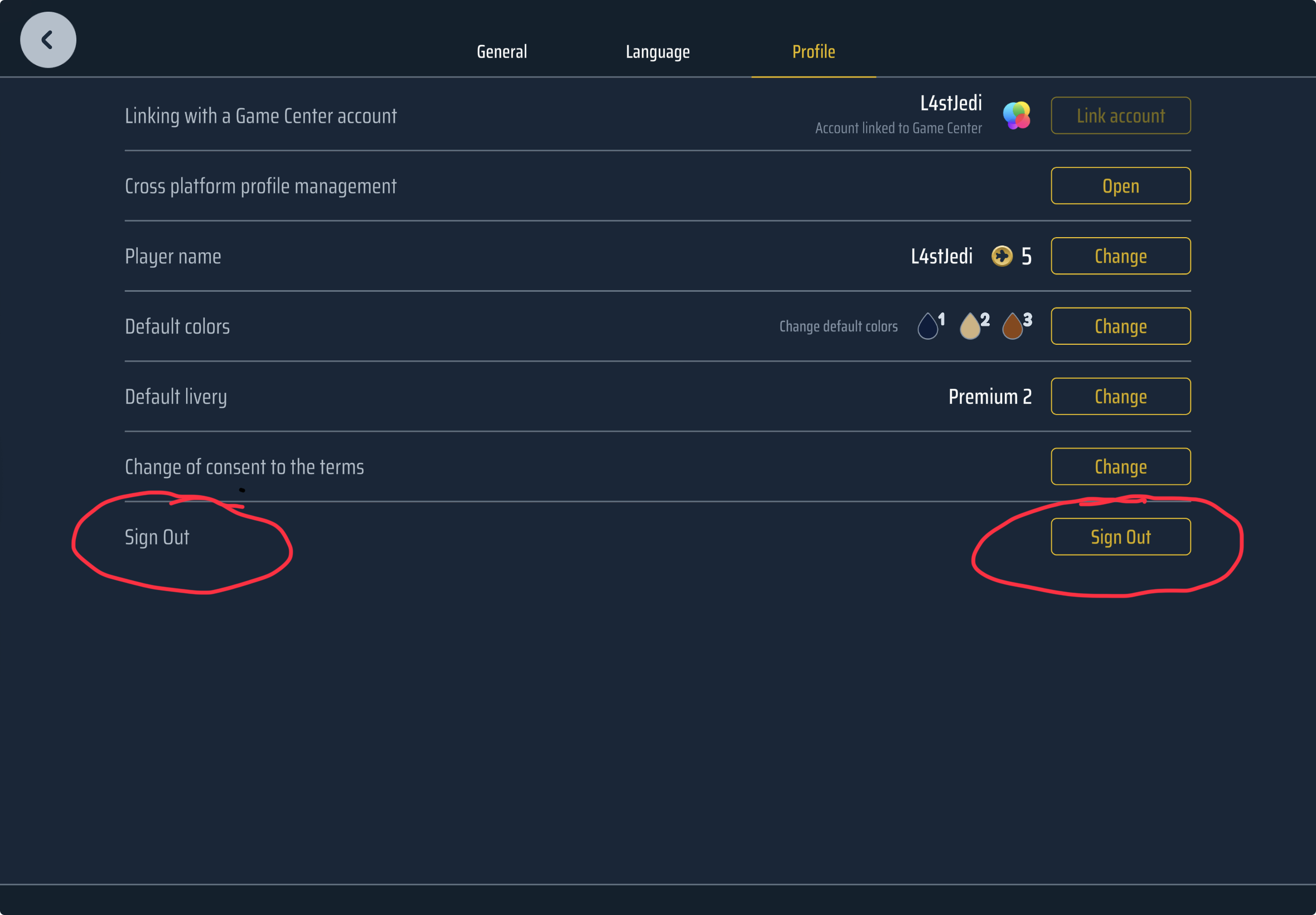
After that:
- The game will return to login / linking state
- Sign in with the other account (Game Center, Google Play Games, or Gmail)
The game will then load the selected profile.
 Important Notes
- You must sign out first before switching accounts
- If you skip this step, the game will continue using the current profile
- Always make sure you are logging into the correct account
 Using Multiple Accounts
You can switch between accounts as often as needed, but always follow this order:
Sign Out → Sign In with another account
 Tip
Tip
If the wrong profile loads:
- Check which account is currently active
- Sign out again and repeat the process carefully
Thank you for flying with World of Airports 
– The WoA Team